The Vantage Fit
marketing website.
This was the first thing I ever designed as a working designer. A marketing site for Vantage Fit, our corporate wellness platform — and the place where I helped write the brand guidelines the site still runs on today. I learned most of what I know about shipping by doing it here.

The homepage, end to end — the dark direction that shipped. Hover to scroll the full page · click to zoom.
Role
Sole designer + brand guidelines
Tools
Figma · InVision
Year
2021 — my first UI/UX project
Status
01 — Overview
One website, and most of my firsts.
Vantage Fit helps companies run fitness challenges, track wellbeing, and actually get their people moving. What it needed was a marketing site that could explain all of that to an HR team in a hurry, and give them an easy reason to book a demo.
I was new, and I got handed the whole thing. I figured out who we were talking to, planned the pages, designed every screen, and helped pin down the brand guidelines that kept it consistent. Nobody walked me through how to take something from a blank Figma file to a live site — I learned that here, mostly by getting it wrong a few times first.
02 — The challenge
Wellness software that HR would actually trust.
Corporate wellness is a noisy space, and buyers have seen it all. So the site couldn't just look nice. It had to say what the product does fast, feel like something a serious company would buy, and make booking a demo the obvious next move rather than a chore.
- Explain a product with a lot of features, without burying anyone
- Talk to HR and people teams — the buyers, not the end users
- Point every page at one action: book a demo
- Give the brand a real visual language it could keep using
- Stay inside corporate brand rules and a few technical limits
“The whole job was getting someone from “what is this?” to “how do I get this for my team?” before they lost interest.”
03 — How I worked
No playbook, so I made one.
I started by learning the product properly and pulling apart how other wellness and SaaS sites told their story. Then I mapped the path I wanted a visitor to take, page by page, before opening Figma. Once the structure felt right I designed it all out and wired it up in InVision so I could click through and feel where it dragged.
- Learn — the product, the buyer, the competition
- Plan — the order of the story across the site
- Systemise — colour, type and components into guidelines
- Design — every page, holding up on mobile too
- Prototype & hand off — clickable in InVision, specced for dev
04 — Brand & visual system
The decision that turned into a brand.
I designed the site light first. It felt like the safe call for a wellness brand — airy, calm, lots of white. Our CTO saw it differently. He wanted dark, because the point wasn't to feel calm, it was to push people to do something. I'll admit I wasn't sold at first, but reworking it dark made him right, and that one call is what nudged a single design into an actual system.
That's where the brand guidelines came in. I helped put together the document the team still works from — what the colours mean, how type behaves, which button does what. The thing I'm proudest of is that the palette isn't decoration. Every accent points at something the product measures.
The palette — and what each colour stands for
Primary · step count
Nutrition
Calorie burn
The website's base
Surfaces & depth
Text on light
Red is steps, mint is nutrition, orange is calorie burn — colour as a quiet key to what Vantage Fit tracks.
Type is Poppins throughout — Medium for headings, Regular for body, Italic saved for quotes. And because the whole site leans toward one action, the buttons say so out loud: a gradient Book a Demo that's hard to miss, and a quieter ghost button for everything secondary.
The call I almost got wrong

Light first, dark in the end. Same page, two completely different reads.
05 — The system, applied
Every page speaking the same way.
Once the guidelines existed, the rest got easier. Each feature page tells one story, sits on the same structure, and keeps pointing back to the same thing: book a demo. Here's a handful of them — enough to show the range, not the whole sitemap.

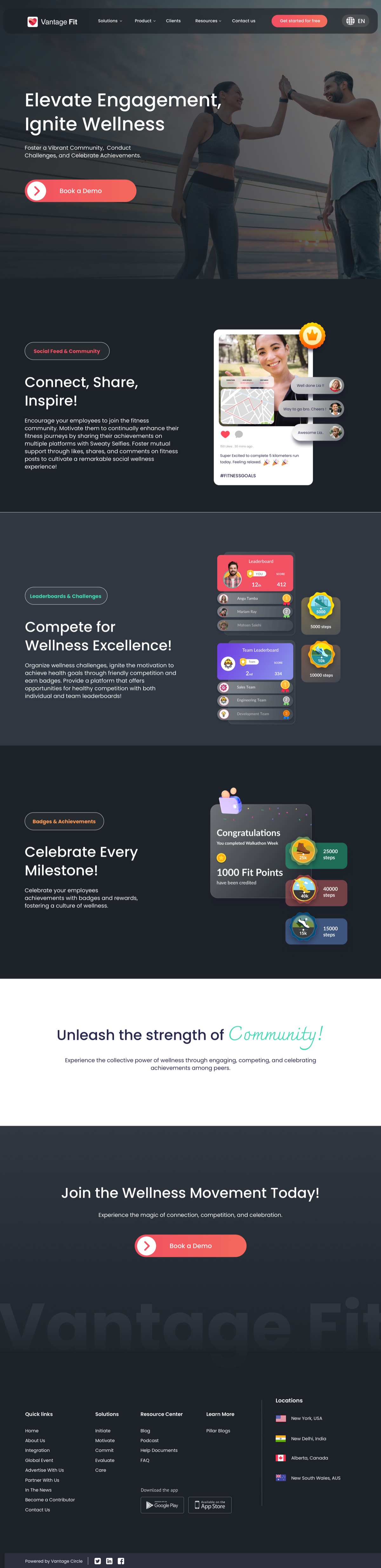
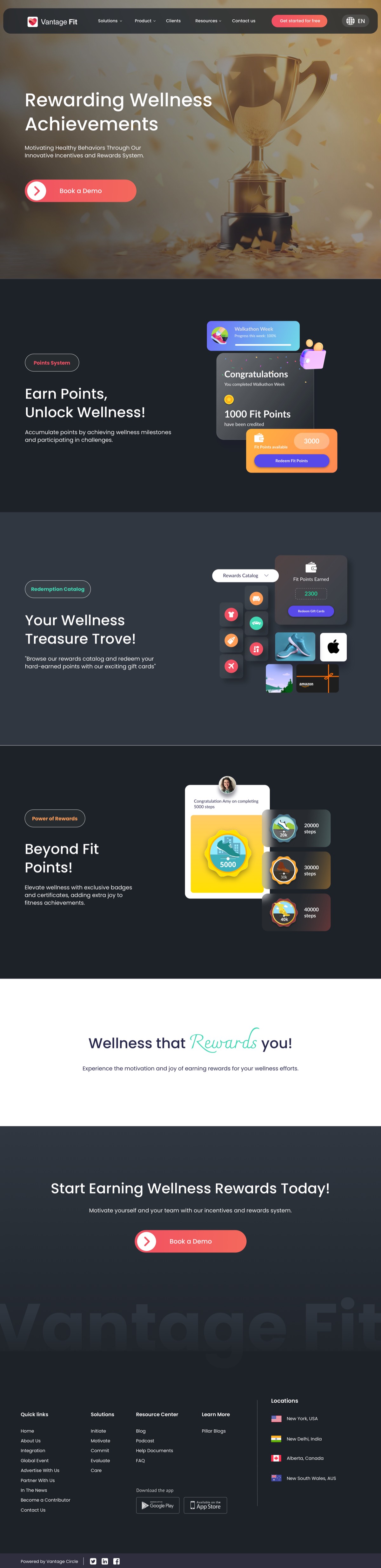
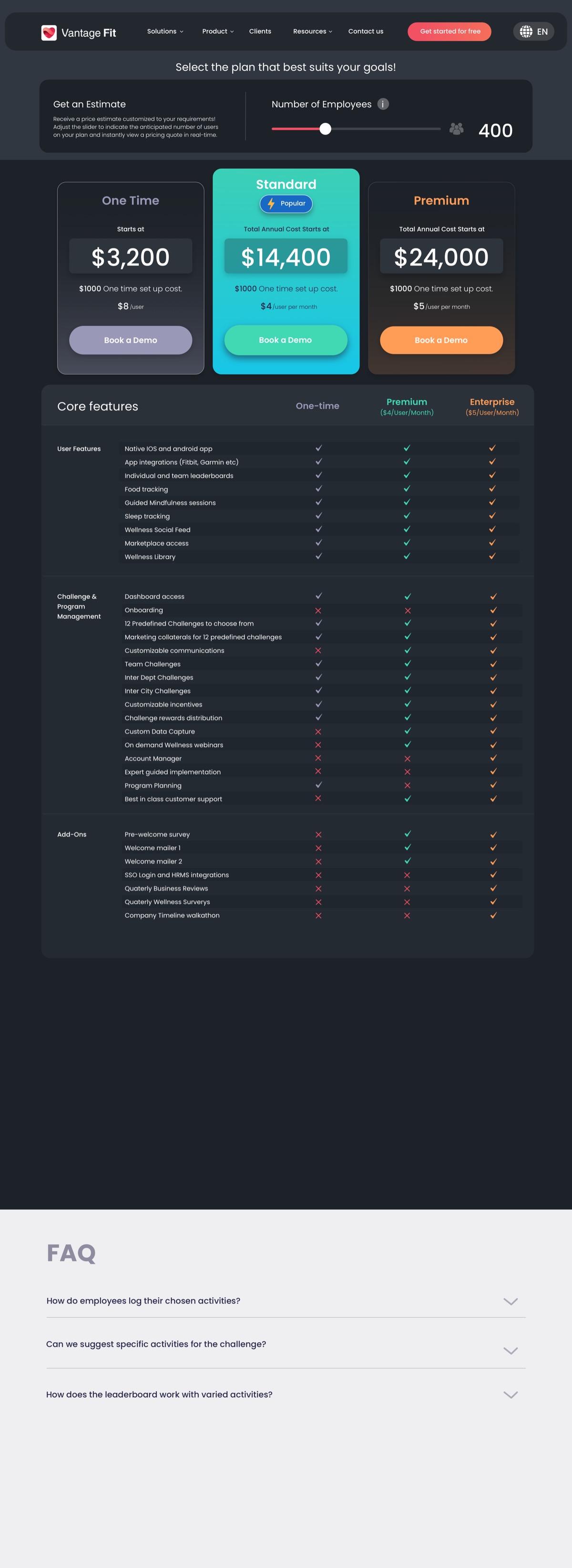
Four of the pages I designed — picked to show the range rather than every screen.
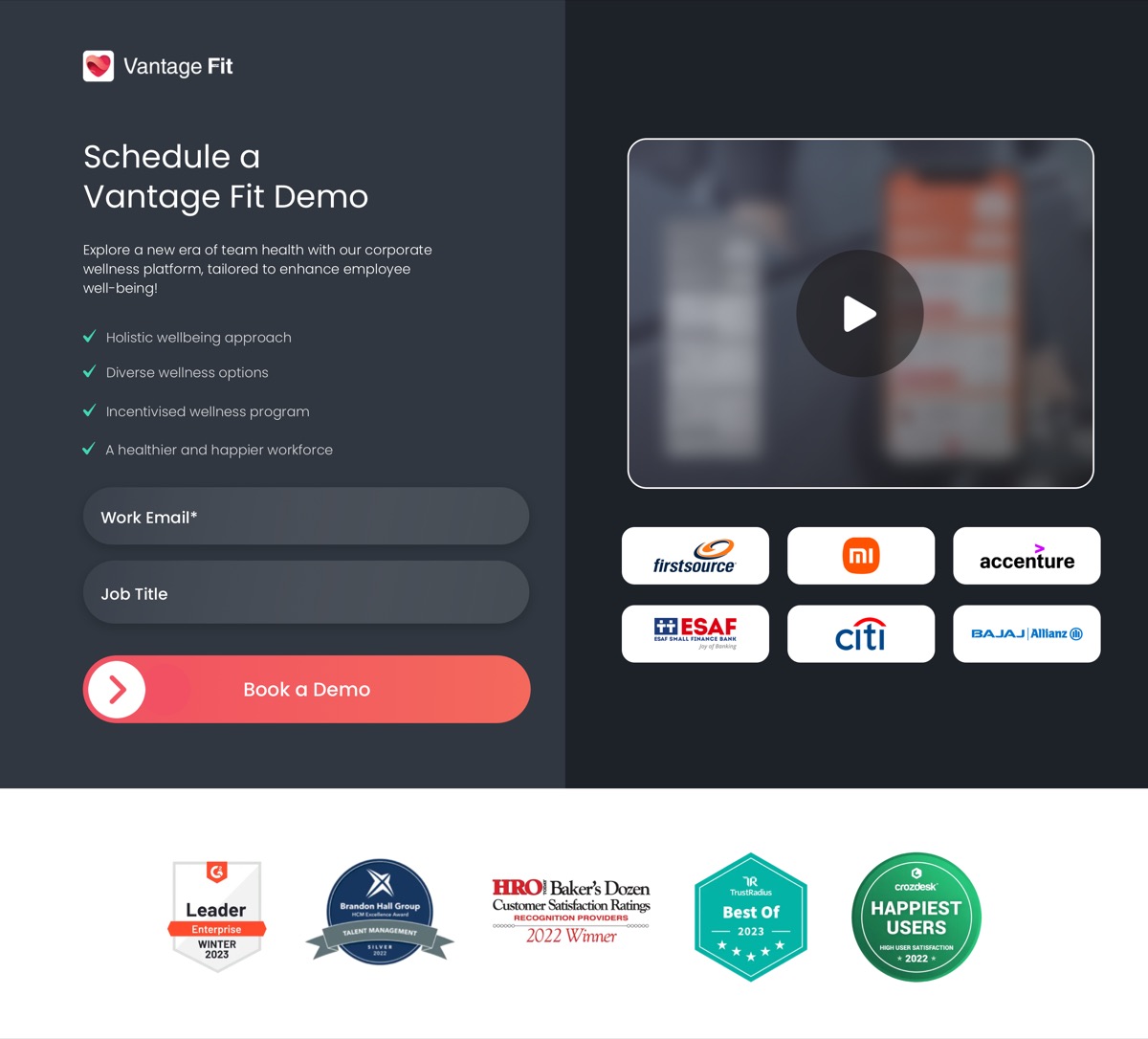
The page everything else is quietly herding you toward.
On mobile too


It had to hold up on a phone just as well, so I designed it that way from the start.
06 — Live today
Still up, still changing.
It launched as the public face of Vantage Fit and it's still live at vantagefit.io. The funny part: years later I rebuilt the whole thing in code myself, and now I ship to it directly — slowly letting some lighter sections back into what used to be an all-dark design.

The homepage as it stands now — the next project is where I rebuilt it in code.
07 — What it taught me
Where I started.
A few things stuck. To think about who I'm designing for before I think about how it looks. That one good decision, written down properly, can become something a whole team builds on. And that I like owning a problem from the messy start to the live thing at the end.
The bigger lesson was about other people. Taking someone else's vision seriously even when it isn't mine, knowing when to drop my first instinct, and still landing on something I'm happy to put my name on. That's shaped how I've worked on everything since.